
Working Smarter With AI In Everyday Workflows

How to get the best of AI in your daily work?
There was a time when almost every task at work required plenty of manual effort. Whether it was organising a campaign, sorting through data, or pulling assets together, nearly everything needed hours of work to get from start to finish.
Efficiency was something earned through discipline and devotion: planning carefully, putting in extra time, and finding ways to push just a little harder. But something meaningful has shifted. Intelligent systems can now support workflows that previously relied on people and tools.
AI hasn’t barged in to replace entire teams, but it has changed the shape of the room. The traditionally slow, manual tasks in jobs are becoming automated. People can then focus on other tasks that drive more value, such as strategy, relationships, decision-making, and all the areas where judgment, nuance, and empathy matter most.
This new balance, where automation does the heavy lifting while humans bring intention and perspective, defines what “working smarter” really means today: doing more with less and doing better. That’s what we will try to unpack in this article: how AI fits into everyday workflows, which tools matter most, and how to actually make it work for you rather than overwhelm you.
A Quick Reminder on AI
From the background to the front of the stage
Before exploring how AI is reshaping work, it’s helpful to clarify what changed. If AI has been here for decades, powering search engines, recommendation systems, spam filters, fraud detection, and many more things, its access has recently changed.
AI isn’t hidden inside big systems or accessible only to engineers anymore. It has become something we can all interact with directly, writing with it, analysing with it, automating with it, prompting it, and shaping it to our own workflows. It’s an ecosystem of capabilities that each solves different types of problems.
In a nutshell:
Computer Vision interprets images and video.
Natural Language Processing reads, writes, summarises, translates, and understands text.
Predictive Analytics helps identify patterns, risks, and next steps.
Generative AI creates: text, images, ideas, drafts, scripts, and more.
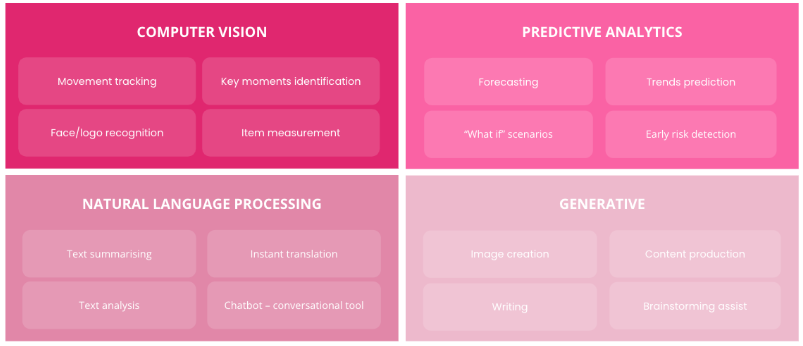
Each of these technologies already plays a role in how we work, often in the background. Also, many people use AI daily without realising it: auto-writing suggestions in emails, automated meeting summaries, smart search results, or auto-generated recaps.
Common Applications of AI
The most regular applications of AI in our daily routine
Organisation & Planning:
AI can now handle many of the administrative tasks that used to consume our time. It summarises long email chains, highlights next steps, schedules meetings, organises documents, and builds dashboards with live data. Because our digital information is scattered across multiple systems, AI can help bring order back to the workflow.
Writing & Communication:
whether drafting emails, shaping proposals, preparing blog posts, or fine-tuning internal messages, AI accelerates the creative process. Embedded tools in Google Docs, Notion, Word, and other platforms help teams move from idea to clarity faster, with less friction and more consistency.
Collaboration & Ideation:
Sometimes you just need another perspective, and to have it quickly. AI helps teams brainstorm, generate ideas, explore directions, and surface alternatives within minutes. It’s like having an always-available creative partner.
Data & Analysis:
we live in an era in which data is everywhere. AI can step in by summarising trends, flagging anomalies, extracting insights from large datasets, and turning complex numbers into understandable narratives. The shift is clear: less time collecting data, more time acting on it.
The visuals below showcase some of the AI technologies we use or monitor at LaSource across different parts of our work. These are not meant to represent the entire industry, nor the full scope of available tools, but rather to offer a first glimpse into the landscape and how these solutions support our day-to-day activities.
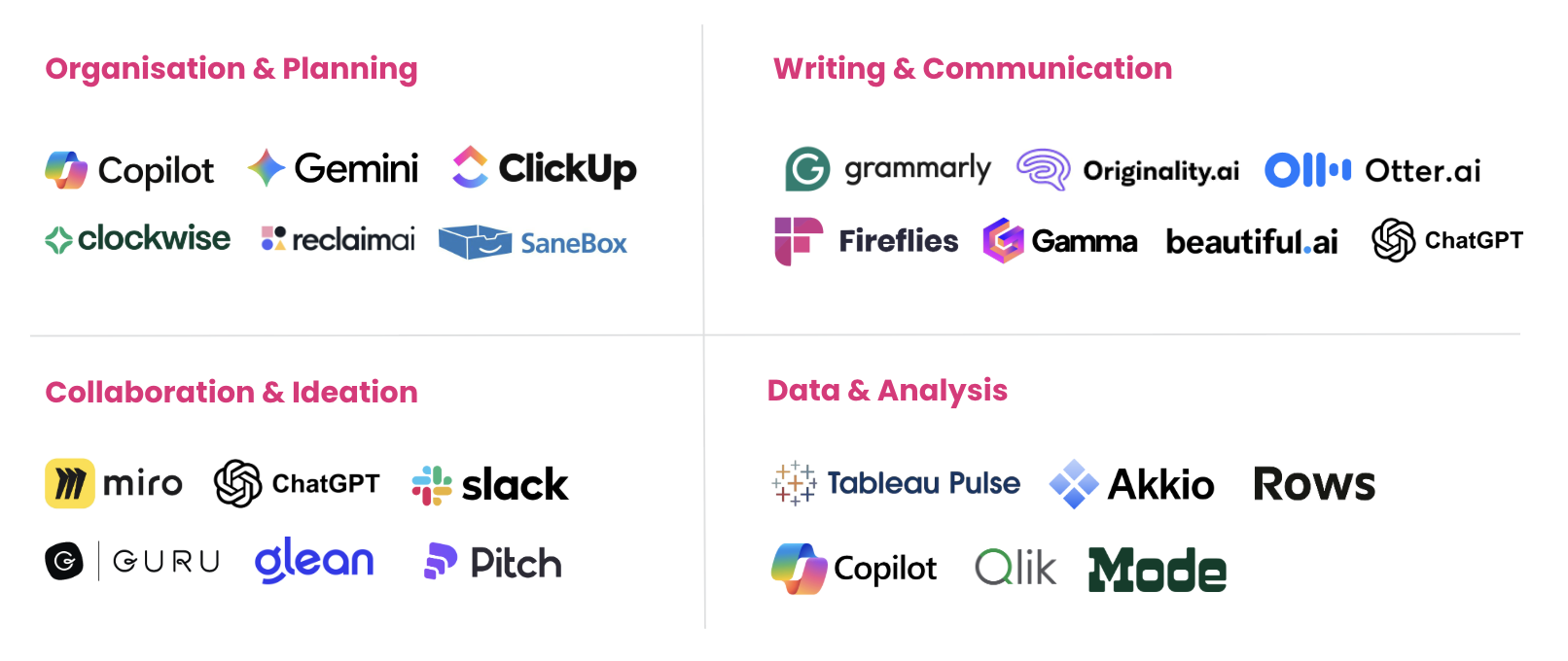
Two things can be highlighted:
Many tools you currently use have launched their AI features, so don’t hesitate to check your tools' updates regularly; you might be surprised.
Certain companies shown above were not originally “AI-first,” but have integrated AI capabilities into their core products to stay relevant and enhance their value. Tools like Miro and Slack are strong examples: Miro now uses AI to accelerate ideation and structuring, while Slack AI can summarise threads, channels, or ongoing conversations to give teams context instantly. This evolution shows how established SaaS platforms are using AI to extend their usefulness rather than reinvent themselves.
As many solutions are transversal and can be used for multiple purposes, you can consider centralising multiple tasks under a single global umbrella.
Several of the platforms appear in multiple categories because they are now built to serve many different use cases at once. This is especially true for solutions from major tech ecosystems such as Google Gemini and Microsoft Copilot. Since AI is integrated across their entire suite of products, these tools naturally excel at organisation, writing, data analysis, and collaboration simultaneously. Their strength lies in this cross-functionality, making them powerful “all-in-one” copilots rather than narrow, task-specific tools.
Smart Tools
Choosing the right tools and using them well
With thousands of AI tools on the market, it’s easy to feel overwhelmed or end up juggling so many apps that work becomes slower instead of easier. More tools don’t automatically mean more productivity. In many cases, they add friction: switching contexts, duplicating information, and complicating workflows.
A more realistic approach is to focus on what actually creates value for you. Start with your core pain points: the tasks that drain time, require repetition, or regularly block progress. Identify where automation or AI assistance could genuinely help, not theoretically, but in your daily reality. AI won’t solve everything, and expecting it to do so often leads to disappointment or misuse. Instead, be selective, test deliberately, and keep what truly earns its place.
A practical way to do this is to build a small set of reliable tools that fit naturally within your existing software stack.
Why multi-purpose AI tools matter:
Today, many leading AI tools (often called agents) are designed to serve multiple functions across your workflow. Instead of being single-purpose add-ons, they can plan tasks, analyse data, draft content, summarise conversations, or even take actions inside software. This shift means you no longer need a separate tool for every micro-problem.
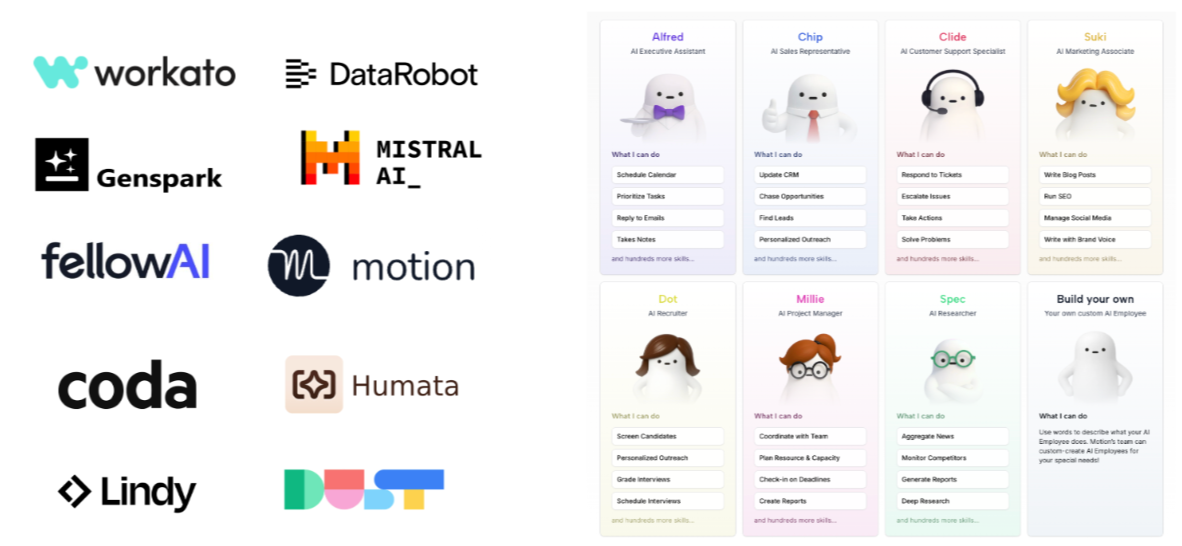
Consolidating more of your work into a small number of multi-purpose agents brings several benefits:
Cross-functional workflows: one tool can move seamlessly across writing, analysis, planning, and communication.
Stronger automation: agents understand more context and can chain actions together without handovers.
Centralisation: fewer tools mean easier onboarding, fewer integrations to maintain, and higher adoption.
Better utilisation: when teams rely on the same tool, they extract more value from it—and learn faster.
This consolidation is becoming increasingly important as AI agents evolve. Rather than stitching together five niche apps, organisations are moving toward a central AI layer that supports the entire workflow.
The human side of smart tools:
One thing the past few years have shown is that transformation doesn’t begin with sweeping change. It starts quietly, with curiosity, small improvements, and a willingness to try something new.
The rise of accessible AI fits this pattern perfectly. It doesn’t require huge budgets or technical teams. What it gives you, instead, is space to think more strategically, to focus, to create with intention, and to work with more clarity and less clutter.
This wave of AI is powerful not because it replaces people, but because it removes the unnecessary weight that slows people down. Well used, it helps us work smarter, express ideas more clearly, and approach our craft with renewed imagination.
LaSource is a sports consulting agency working closely with startups, tech innovators, and major sports organisations to accelerate growth, shape strategy, and unlock new commercial pathways